
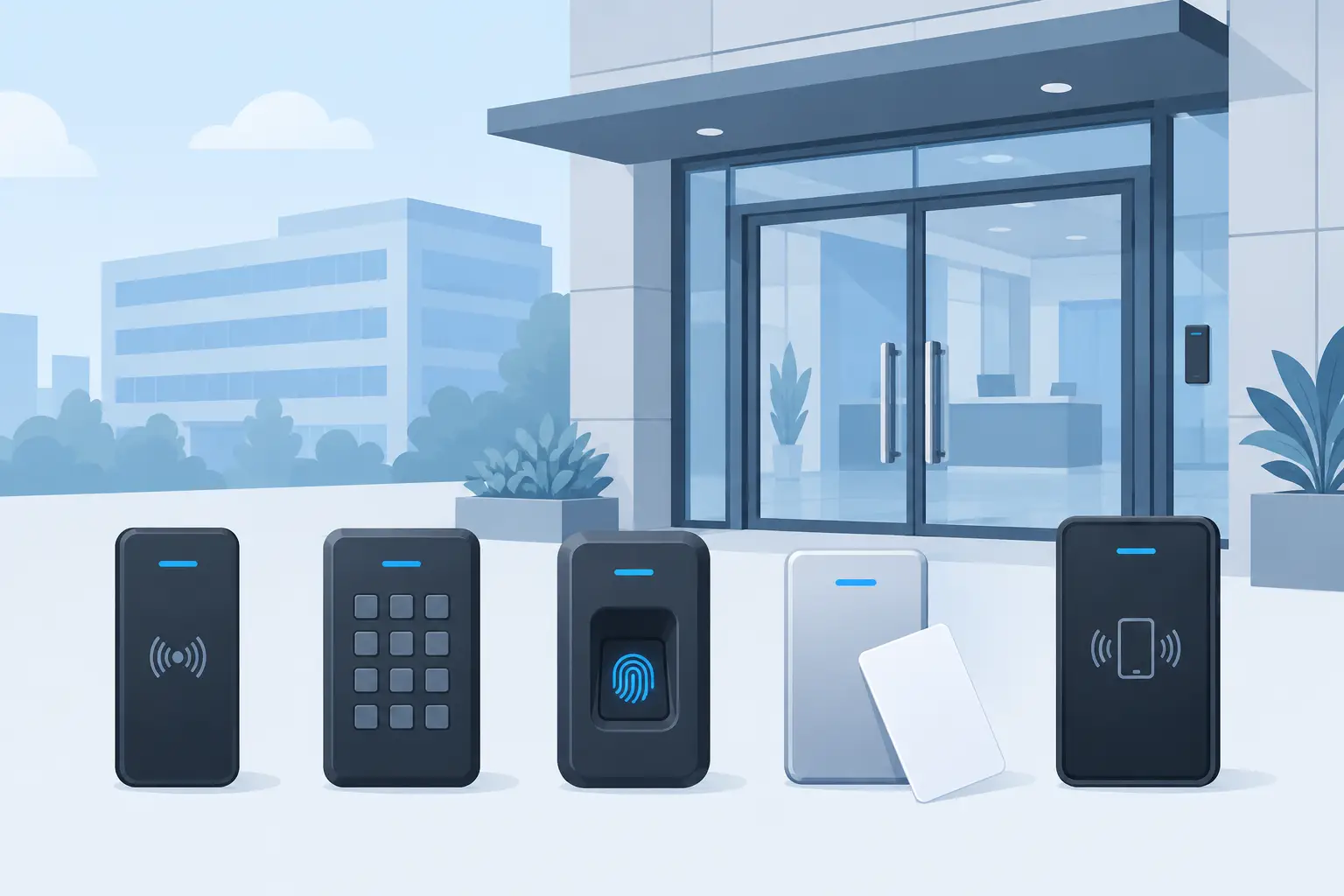
A reader specified for the wrong credential can create an expensive problem long before a door is handed over. System integrators and consultants need to align door access reader types with the site’s risk level, user volume, existing cards, door hardware, and future expansion plans. HID access control readers provide established options across card, mobile, keypad, and biometric-led workflows, but the correct choice starts with the opening, not the product name.
For commercial towers, government facilities, industrial compounds, and critical infrastructure sites, the reader is the visible edge of a much larger access control system. It determines how people identify themselves at a door, gate, turnstile, cabinet, or secure room. That decision affects security policy, user experience, cabling, controller compatibility, and how easily the system can be upgraded later.
Start With the Credential Strategy
The first decision is not whether the reader looks modern or supports the newest credential. It is what people will present to gain access. A site using existing proximity cards may need a reader that supports that credential during migration. A new project may choose encrypted smart cards or mobile credentials from the start to reduce cloning risk and simplify credential administration.
A reader and credential must be considered as a pair. A card may be physically similar to another card while using a different technology, format, or security method. Procurement teams should confirm the intended credential type, enrollment process, and compatibility with the selected controllers and access management platform before approving a bill of materials.
For phased projects, multi-technology readers are often practical. They can read legacy cards while the operator issues higher-security credentials over time. That approach can avoid a forced, site-wide card replacement, although it also means the lower-security credential remains active until the migration is complete.
Main Door Access Reader Types
Proximity card readers
Proximity readers are common in established commercial access control systems. Users present a card or fob close to the reader, and the reader sends credential data to the controller for a permission decision.
Their strengths are familiarity, fast throughput, and straightforward user behavior. They remain suitable where an existing credential estate must be retained or where the risk assessment supports the technology. The trade-off is that older proximity technologies generally offer less protection against credential copying than modern encrypted smart credential platforms. For high-security openings, consultants should assess whether a simple proximity credential meets the project’s policy requirements.
Smart card readers
Smart card readers use more advanced credential technology and are usually selected where stronger authentication and credential protection are required. They are well suited to government buildings, data rooms, controlled laboratories, corporate campuses, and other sites where access control is part of a broader security standard.
The benefit is not simply a different card. Smart credential systems can support stronger security practices and more flexible credential handling when specified as a complete system. The trade-off is that migration requires planning. Cards, readers, issuance processes, and system configuration all need to be coordinated, particularly when the project is replacing a mixed population of legacy credentials.
Mobile credential readers
Mobile access allows a smartphone or compatible wearable device to serve as the credential. Depending on the selected technology and deployment method, users may present the device to the reader or use a more hands-free interaction.
This reader type can reduce the operational burden of issuing, collecting, and replacing physical cards. It is particularly useful for organizations with frequent staff movement, temporary contractors, or geographically dispersed facilities. However, mobile access should not be selected only because it appears convenient. The project team needs clear policies for device enrollment, lost phones, visitor access, battery failure, privacy expectations, and credential revocation.
Many sites adopt mobile credentials alongside cards rather than replacing cards immediately. That is often the more realistic path for facilities where employees, contractors, visitors, and service teams have different access requirements.
Keypad and PIN readers
Keypads require the user to enter a personal identification number. They can operate as a single credential method, but they are more commonly used with a card or mobile credential for two-factor authentication.
A PIN adds a layer of assurance because possession of a card alone is not enough to enter. This makes keypads useful at higher-risk doors such as server rooms, control rooms, pharmaceutical storage, records areas, and restricted government spaces. The operational drawback is slower passage at busy doors, plus the need to manage PIN creation, resets, and the risk of codes being observed or shared.
Keypads are not automatically a stronger answer at every opening. At a high-traffic employee entrance, a second factor may create queues and encourage poor behavior, such as users holding doors for colleagues. Apply them where the added verification is justified by the room or area risk.
Biometric readers
Biometric readers verify a physical characteristic, such as a fingerprint or facial template, instead of relying only on something a person carries or knows. They are most appropriate where identity assurance matters more than fast, frictionless entry.
Biometrics can help reduce credential sharing, but they introduce different project considerations. The consultant must address privacy policy, template handling, user enrollment, local legal requirements, hygiene expectations, accessibility, and the procedure for users whose biometric verification fails. A biometric reader should always be evaluated as part of a defined security process, not treated as a stand-alone guarantee of identity.
For many facilities, biometrics are reserved for selected high-security areas rather than deployed on every door. This keeps enrollment and support demands proportionate to the actual risk.
Long-range and vehicle readers
Vehicle entrances require a different reader approach from a personnel door. Long-range readers can identify authorized vehicle credentials at gates, barriers, or parking entries, supporting controlled movement without requiring drivers to leave their vehicles.
These deployments must be coordinated with barrier operation, safety devices, intercoms where required, visitor procedures, and the physical layout of the lane. The credential read is only one part of a safe gate sequence. Integrators should confirm read zones and vehicle flow during system design, rather than treating a gate reader like an oversized door reader.
Match the Reader to the Opening
A useful specification separates openings by risk and use. A main office entrance may prioritize speed and a clean user experience. An electrical room may require a card plus PIN. A remote gate may require a long-range credential. A critical room may justify smart credentials, a second factor, or biometrics.
Environmental conditions matter as much as security level. Outdoor openings, dusty industrial areas, coastal environments, and exposed gates require readers selected for their actual mounting environment. The project specification should also identify the reader interface, cable route, power arrangement, and controller architecture. A reader that meets the credential requirement but complicates the field installation is not a complete solution.
Reader placement deserves attention as well. Mounting height, approach direction, turnstile geometry, accessibility needs, and the location of the request-to-exit device all affect usability. At busy entrances, poor reader placement can create tailgating opportunities and congestion even when the access system itself is correctly configured.
Plan for Security Beyond the Reader
A reader validates a credential, but it does not secure a door by itself. The complete opening includes the controller, lock, door position monitoring, request-to-exit method, emergency release requirements, power supply, and network or management platform where applicable.
For sensitive openings, consider whether the project needs door-held-open alarms, forced-door alarms, anti-passback rules, scheduled permissions, visitor controls, or audit reporting. These decisions should be defined in the security design and reflected in the supplied hardware schedule. A sophisticated reader cannot compensate for a weak door, unsuitable lock, or unclear access policy.
Seven Sectors Trading Co. supports Saudi project teams with HID access control hardware sourced through an authorized partner relationship. For tenders and active projects, provide the credential strategy, number and type of openings, controller preference, and any migration requirement. This allows the supply scope to be aligned with the actual access control design rather than a generic reader description.
Questions to Settle Before Procurement
Before finalizing door access reader types, confirm whether the project needs to support existing cards, whether certain doors require two-factor authentication, and whether mobile access is a present requirement or a future option. Also confirm the reader interface, the environmental installation conditions, and who will administer credentials after handover.
The best reader choice is usually the one that makes the security policy easy to follow on a normal working day. When the credential, opening risk, and operating process are aligned, the access control system becomes easier for installers to deliver and easier for facility teams to manage. For support selecting HID access control hardware for a commercial or government project, contact Seven Sectors at info@7sectors.com or submit a Get Quotation form.
Ready to discuss your project? Contact Seven Sectors or contact us directly on +966-012 229 3474.